 Holdspace
Extra storage, $6 a month
Instant 200 GB cloud storage when your phone or drive is full
Rent 200 GB of extra cloud storage for photos, documents, and backups. Keep the files that do not fit on your phone or free drive, and cancel any month you do not need them.
200 GB. One price. No yearly lock-in.
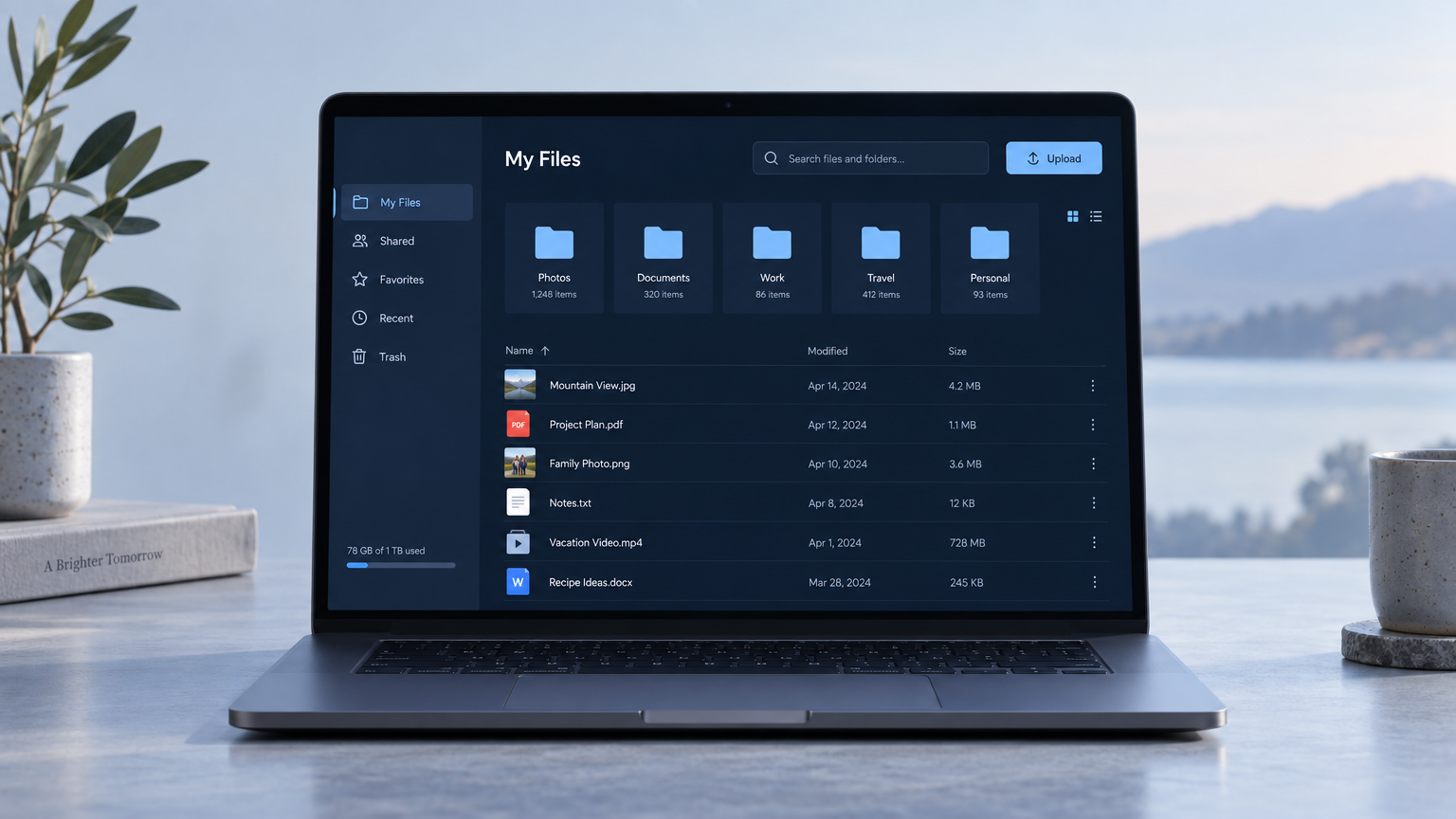
What the extra 200 GB is for
- Move overflow photos and videos off a full phone
- Keep work documents in one quiet locker
- Back up the files you cannot lose this week
- Open the locker from a laptop or a phone
- Stop paying for a plan built for 2 TB you will not fill

“I did not need another 2 TB plan. I needed a spare drawer for the files that would not fit.”
A spare drawer, not a warehouse
- 01
A 200 GB locker
Room for the overflow, not a warehouse you never walk into.
- 02
Folders that stay put
Photos, documents, work, and personal files, kept in one place.
- 03
Upload when you need it
Drop in the files that no longer fit on the device in your pocket.
- 04
A meter you can read
See how much of the 200 GB you are using before you hit the wall.
- 05
Month to month
Six dollars. Thirty days. Cancel from your membership when you are done.
- 06
Open it after checkout
Buy once, sign in, and the locker is waiting at /drive.

The meter
See the room you rented
Free drives fill up without warning. Holdspace shows how much of the 200 GB is in use so you know when to clear a folder, not when the phone starts refusing photos.
Holdspace 200 GB
$6per month, billed every 30 days
- 200 GB Private Storage
- Cross-device Uploads
- Cancel Anytime


If the locker is not useful in the first 7 days, cancel and you will not be billed again.
Questions
What am I renting?
200 GB of extra cloud storage in the Holdspace locker. It is the spare room for files that no longer fit on your phone, laptop, or free drive.
How do I get in after I pay?
Checkout takes you through Whop. Then open the locker at holdspace.whop.site/drive and sign in with the same Whop account.
Can I cancel?
Yes. Billing is monthly. Cancel from your Whop membership and access stops at the end of the paid period.
Is this a 2 TB family plan?
No. Holdspace is extra room, not a replacement for a huge annual cloud suite. If you only need overflow storage, this is the smaller bill.